HaloPayLink · Invoicing & Accounts Receivable
Get paid on your invoices, reconciled in QuickBooks
HaloPayLink connects your invoicing to QuickBooks Online. Send invoices and payment links, collect card and ACH payments, pay your bills, and let it all post back to QuickBooks without re-keying.
- QuickBooks Online integration
- Invoices & estimates
- Card & ACH payments
- Automated reminders
- Bill pay
Built for businesses that invoice
QuickBooks Online sync
Connect your QuickBooks Online company so customers and invoices stay in step with your books.
Invoicing
Send professional invoices by email with a secure link your customer can pay from.
Estimates
Send an estimate before the job, then bill the customer once the work is approved.
Payment links & requests
Request a payment for a deposit, a one-off job or an open balance with a link you can text or email.
Accounts receivable at a glance
See what's been sent, what's been paid and what's still outstanding, in one place.
Reconciliation without re-keying
Payments are matched back to invoices in QuickBooks, so month-end close isn't a copy-and-paste job.
Card and ACH payments
Let customers pay by card or bank transfer (ACH) — useful for larger B2B invoices.
Automated reminders
Overdue invoices get follow-up reminders automatically, so your team spends less time chasing payments.
Bill pay
Pay your vendors' bills from the same platform, so payables and receivables both stay in step with QuickBooks.
Recurring billing & subscriptions
Bill repeat customers on a schedule — useful for service contracts, pickups and rentals.
Virtual terminal
Take a card payment over the phone or at the counter, right from your browser.
Customers, items & orders
Keep customer records and a catalog of your services and products, so invoices take seconds to build.
Everything in one dashboard
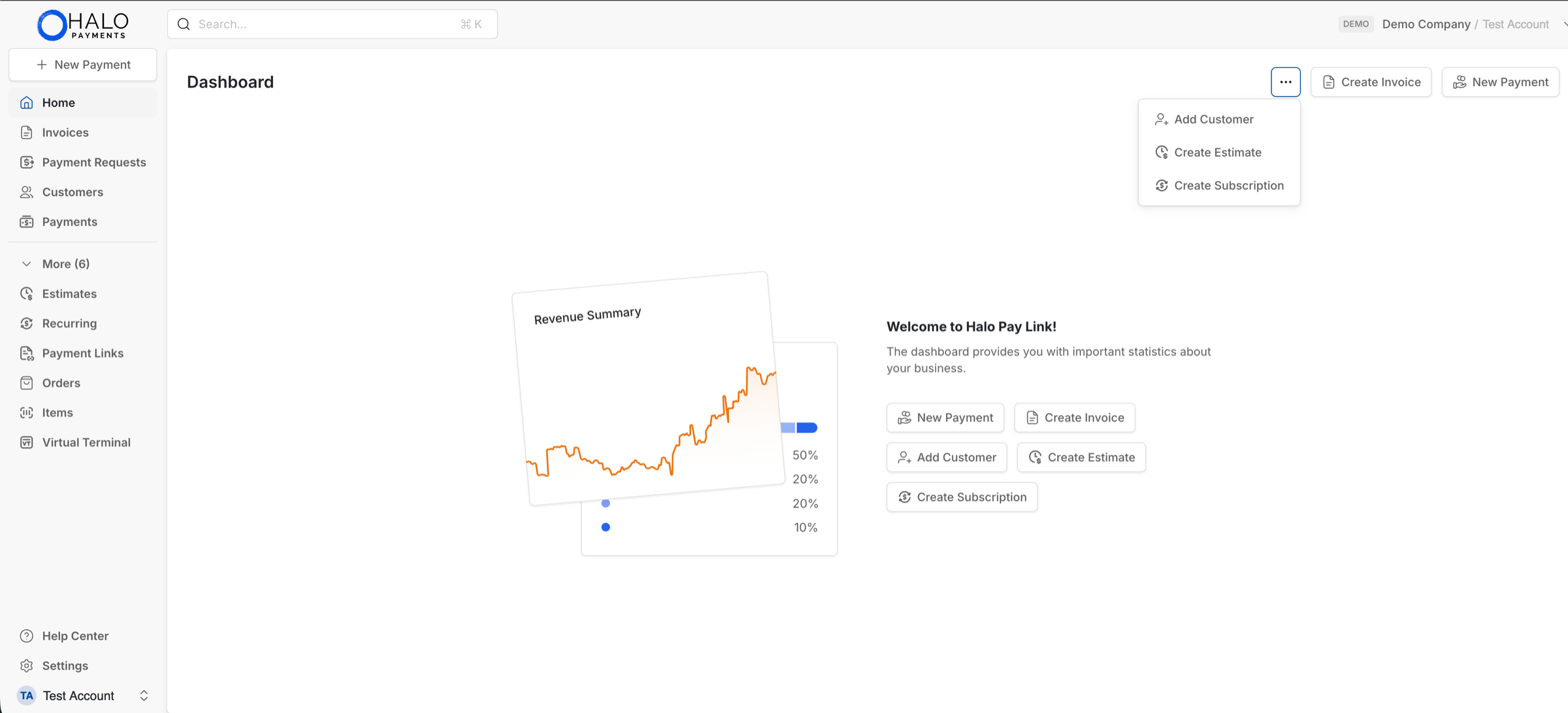
Invoices, estimates, payment requests, recurring billing, customers and a virtual terminal — side by side in HaloPayLink.
Made for service businesses
How it works
- 1
Connect QuickBooks Online
Link your QuickBooks Online company to HaloPayLink.
- 2
Send invoices and links
Email an invoice or share a payment link with your customer.
- 3
Get paid and reconciled
Customers pay online and the payment is recorded back in QuickBooks.
Frequently asked questions
Is HaloPayLink the same as the Halo payment gateway?+
No. The gateway is for websites and software that take payments through an API. HaloPayLink is for businesses that bill customers by invoice and want collections tied to QuickBooks Online.
Which accounting software does it work with?+
HaloPayLink is built around QuickBooks Online.
Can customers pay by bank transfer?+
Yes. Customers can pay invoices and payment links by card or ACH.
Can I pay vendor bills too?+
Yes. HaloPayLink includes bill pay, so you can manage what you owe alongside what you're owed.
Do my customers need an account to pay?+
No. They open the invoice or payment link and pay from there.
Who is it a good fit for?+
Service businesses that send a lot of invoices — such as dumpster rental, waste and disposal, and field services — and spend time chasing payments and matching them in QuickBooks.
How do I get started?+
Contact us. We'll set up your Halo merchant account and help you connect HaloPayLink to QuickBooks Online.
Spend less time chasing invoices
Tell us how you bill today and we'll show you how HaloPayLink fits.